
Introduction
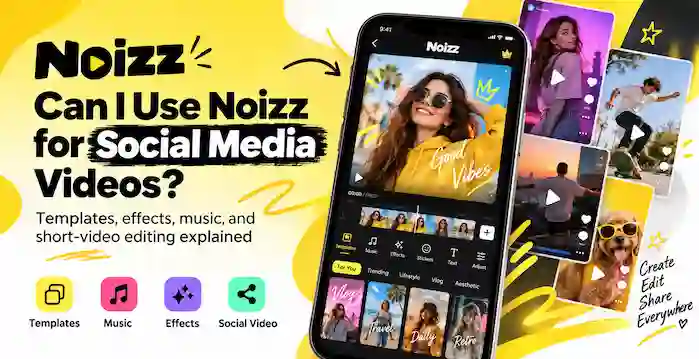
Noizz Video Editor was a mobile app that helped users turn short clips and photos into shareable videos. Its tools focused on quick results rather than complex editing. Users could add music, try filters and effects, explore templates, and use AI-based suggestions described in the app’s old store listing. Some versions also offered stickers and a face-changing filter. These features suited casual edits, birthday clips, music videos, and social media posts. It also supported simple creative projects for beginners. The app is no longer listed on Google Play, so users may find old descriptions or archived files instead of an active release. This guide explains the main tools linked to the original app and what to know about its availability today.
What Was Noizz Video Editor?
Noizz was an Android app developed by Noizz Team. It was also known as Biugo before the name changed. The archived Google Play description presented it as a video maker for photos, songs, and short video statuses.
The app aimed to make editing simple. Users could pick a style, add media, and apply options. Tools could differ between versions.
Main Features of Noizz Video Editor
The original store description highlighted AI-based suggestions, music, filters, effects, and personalized recommendations. Archived update notes also mention magic templates, funny stickers, and a face-changing filter.
AI-Based Editing Suggestions
The old app description said its AI tools could analyze a video and recommend filters, effects, and music. This could help users choose a style without testing every option by hand.
These suggestions aimed to speed up edits. Treat them as past features, not a promise that an APK will connect to the same services.
Video Effects and Filters
Noizz Video Editor offered effects and filters to change the look of clips. The archived description mentions styles such as vintage film and futuristic glitch effects. These options could give a video a different mood or visual theme.
A good edit does not need many effects. Choose one style that fits the clip, preview it, and avoid mixing effects that clash. Too many changes can make a short video hard to watch.
Music and Audio Options
Music was a key part of Noizz Video Editor. The old store description said users could choose tracks from a music selection or import their own audio. It also described automatic music syncing, which aimed to match the soundtrack with the video.
Music can connect separate clips and set the mood. A birthday montage may need a cheerful track, while a travel video may suit calmer music. Check song rights before sharing a video in public or using it for business.
Templates and Stickers
Archived update notes mention more magic templates and funny stickers. Templates give a project a ready-made style, while stickers add playful details. These tools can help users create a short clip without designing every element themselves.
Template choices may depend on the version and whether the app’s online services still work. A template shown in an old tutorial may no longer load.
Face-Changing Filter
One archived update described a face-changing filter that let users place their face into a movie-star-style effect. It was a playful feature for short social clips, not a full face-editing suite. Its availability may have changed over time.
How to Make a Simple Video With Noizz Video Editor
If you have access to a working, verified version, a basic project can follow this process:
- Choose a few photos or short video clips that fit one theme.
- Open a template or editing style that suits your content.
- Add music if the version offers an audio option.
- Preview available filters, effects, or stickers.
- Watch the full clip and check the timing before saving.
The interface may look different across releases. Some online tools may also stop working if the app’s services are no longer active.
Is Noizz Still Available?
AppBrain records the original Noizz: video editor with music as an app by Noizz Team. Its listing says Google Play removed it on May 29, 2024. The last listed version was 5.13.3, updated on April 17, 2024.
Be careful with pages that claim to offer a new official release. A third-party file may be old, altered, or unrelated to the original app. Check the developer, package details, version, and file source before installing anything. Avoid files that trigger security warnings.
Who Might Have Used Noizz Video Editor?
The app was aimed at casual creators who wanted quick music videos, photo edits, and short social posts. It may have suited users who preferred templates and effects over detailed timeline editing.
If you need a video editor today, compare active apps in official stores. Check recent updates, privacy details, export options, and the permissions each app requests.
Frequently Asked Questions
What could you do with Noizz Video Editor?
The app focused on short video creation with music, effects, filters, AI-based suggestions, templates, stickers, and photo-based edits.
Did Noizz include music editing?
Its archived store description said users could select tracks or import their own audio, with automatic syncing to the video.
Did Noizz have templates and stickers?
Yes. Archived update notes mention magic templates and funny stickers. The available choices could vary by version.
Can I download the original Noizz app today?
The original app is no longer listed on Google Play according to AppBrain. Treat third-party download pages with care and verify any file before installing it.
Final Thoughts
Noizz Video Editor offered music, effects, filters, templates, stickers, and AI-based suggestions for quick mobile videos. Its tools suited casual projects rather than advanced editing. However, the original app is no longer on Google Play, and older versions may lack working online features. Archived descriptions explain what it once offered. If you need an editor now, choose a supported app with a clear developer, recent updates, and clear privacy details.