
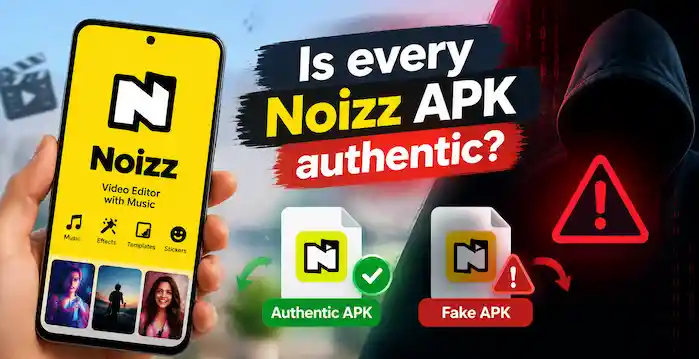
If you search online for the Noizz app, you may find several websites offering APK downloads. Some promise the latest version, while others advertise older releases, unlocked features, or modified packages. However, one important question remains: Is every Noizz APK authentic?
No, not every Noizz APK is authentic. Anyone can rename an Android installation file or create a website that looks legitimate. Therefore, seeing the Noizz name, logo, or version number does not prove that a file comes from the original developer.
Before downloading Noizz, you should understand how APK files work, how to identify suspicious downloads, and how to reduce security risks. This guide explains the essential checks in simple terms so you can make a more informed decision.
What Is a Noizz APK?
An APK, short for Android Package Kit, is a file format used to distribute and install Android applications. A Noizz APK contains the application components required to install a compatible version of the Noizz app on an Android device.
Normally, users install applications through Google Play. However, some websites also provide APK files for manual installation, a process commonly called sideloading.
Although APK files are a normal part of Android software distribution, their authenticity depends on the particular file and its source.
For example, a legitimate Noizz APK may contain the original application signed by its publisher. Another file using the same name could contain modified code, unwanted software, or an unrelated application.
Therefore, always evaluate the individual file instead of trusting its filename.
Why Is Every Noizz APK Not Authentic?
Several factors explain why you cannot trust every Noizz APK available online.
1. Unofficial Websites Can Modify APK Files
Some third-party websites distribute original application packages, while others may host modified versions. A modified APK can contain changes that the original developer never approved.
These changes might introduce unwanted advertisements, tracking components, or potentially harmful code. In other cases, a modified application might simply remove features or behave differently from the original.
You cannot determine whether an APK is authentic just by looking at its icon or opening its download page.
2. Fake Downloads Can Copy the Original Branding
A suspicious download website may copy Noizz branding, screenshots, descriptions, and promotional images to appear trustworthy.
However, copying an application’s appearance does not establish a connection with its developer.
Similarly, a page that advertises a file as the official Noizz latest version does not prove that the developer released it.
3. Modified Versions Create Additional Risks
You may encounter Noizz downloads advertised as modified, cracked, premium-unlocked, or patched versions.
Such descriptions indicate that the package may differ from the original release. You might not know what changes someone introduced or whether the modified code handles your information safely.
For this reason, avoid unofficial modified packages, especially when the website cannot explain their origin.
How to Check Whether a Noizz APK Is Authentic
You can reduce the risk of downloading a fake application by checking several important details before installation.
Check the Download Source
First, look for an official distribution channel provided by the developer. If an official listing or website is available, use it rather than an unfamiliar download page.
If you consider a third-party repository, examine its application information, version history, publisher details, and file information.
Remember that a professional-looking website does not guarantee authenticity. Likewise, a download button or positive user review cannot independently prove that an APK is genuine.
Verify the App Name and Package Information
Check the application name, developer information, package identifier, and version number.
A package identifier distinguishes one Android application from another. However, a matching identifier alone does not prove authenticity because someone can create a different application that imitates the original identity.
Compare these details with reliable information about the original application whenever possible.
Check the Digital Signature
A digital signature is one of the most useful ways to verify an APK’s integrity and establish whether it matches an expected publisher identity.
Android requires APKs to have digital signatures before installation. These signatures help Android verify packages and maintain continuity when users install application updates. You can read more in the official Android app-signing documentation.
However, a valid signature alone does not prove that an application is harmless. You must also establish that the signing certificate belongs to the expected publisher.
If you cannot find a trustworthy reference for the original Noizz signing certificate, do not assume that a signature is genuine simply because a verification tool accepts it.
Compare the Version Number
Check whether the version advertised on the download page matches reliable release information.
For example, an APK website might label a file as the newest Noizz version even though its information refers to an older release. Another website might advertise a modified package using an unfamiliar version number.
A version number is useful evidence, but it does not establish authenticity by itself.
Review the Requested Permissions
Before installing Noizz, consider which permissions the application requests.
A video editor may reasonably need access to selected photos and videos so that you can edit your content. However, requests for unrelated access deserve closer attention.
Be particularly cautious when an unfamiliar APK asks you to enable Accessibility services or device administrator access without a clear, legitimate reason.
Is It Safe to Download Noizz From Third-Party Websites?
The answer depends on the website, the file, and the evidence available to verify its origin.
Some third-party repositories distribute legitimate APK files. Nevertheless, you should not assume that every file hosted by a familiar repository is automatically safe.
Before downloading Noizz, consider the following precautions:
- Prefer an official distribution channel whenever one is available.
- Check the publisher, package information, and version history.
- Avoid modified or cracked APKs.
- Scan the downloaded file with a reputable security tool.
- Keep Google Play Protect enabled.
- Read Android’s installation warnings instead of automatically dismissing them.
Google explains that Play Protect checks applications for potentially harmful behavior, including applications installed from sources outside Google Play.
However, no security scan can guarantee that a file is completely safe. Use these checks together rather than relying on a single result.
What Should You Do If a Noizz APK Looks Suspicious?
If a download page contains misleading claims, unexpected redirects, or unclear publisher information, do not install the file.
Likewise, stop if Android displays a security warning that you cannot explain. Do not disable security protections simply to force an unfamiliar APK to install.
You should also avoid downloading another copy from a random website as a quick replacement. First establish which application you need and whether a trustworthy distribution channel exists.
Noizz APK Authenticity Checklist
Before installing a Noizz APK, use this simple checklist:
- Source: Can you identify and trust the website providing the file?
- Publisher: Can you verify who developed the application?
- Version: Does the version match reliable release information?
- Package: Do the application identity details match the expected app?
- Signature: Can you verify the signing certificate against a trusted reference?
- Permissions: Do the requested permissions make sense for video editing?
- Security: Does a reputable security scan identify any concerns?
- Compatibility: Does the application support your Android device?
If you cannot verify important details, the safest choice is to avoid installing the APK.
Frequently Asked Questions
Is every Noizz APK authentic?
No. Some APK files may contain the original application, while others may be modified, repackaged, outdated, or unrelated. Verify the source and application identity before installing a file.
How can I identify a fake Noizz APK?
Look for inconsistent publisher information, unexplained version numbers, suspicious permissions, misleading download buttons, and modified-package claims. Where possible, compare the APK’s digital signature with a trusted reference.
Is an older Noizz APP automatically unsafe?
No. An older APK may be legitimate, but it could lack security fixes or compatibility improvements. Verify its origin and understand the risks before installing it.
Does Google Play Protect guarantee that Noizz is safe?
No. Play Protect provides an additional security check and can warn about potentially harmful applications. However, a clean scan does not guarantee that every component of an APK is harmless.
Should I install a Noizz Mod APK?
Avoid unofficial modified versions because you cannot reliably verify the changes someone introduced. An original application from a trustworthy source is a better choice.
Final Thoughts
Not every Noizz APK is authentic, and a familiar name or logo cannot prove that a file is genuine. Before installing the application, check its source, publisher information, version, digital signature, permissions, and security warnings.
Whenever possible, choose an official distribution channel. If you cannot establish where a Noizz APK came from or verify its identity, do not install it. Taking a few minutes to check a file can help you avoid unnecessary security and privacy risks.