
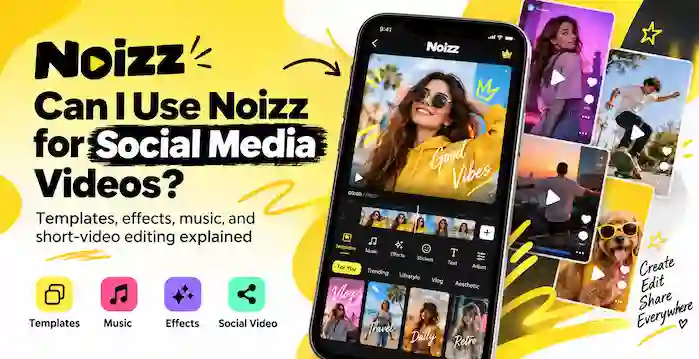
Creating videos for social media does not have to be complicated. Whether you want to share a travel memory, promote a small business, or post a short clip for your followers, a video editor can help you turn ordinary footage into engaging content. Noizz is one app that users may consider for this purpose.
Noizz became known for its creative video effects, music, filters, stickers, and ready-made templates. These features made it easier for beginners to create short videos without learning advanced editing techniques. However, before choosing Noizz for your social media content, you should understand what it offers and which limitations may affect your experience.
So, can you use Noizz for social media videos? Yes, Noizz was designed to help users create short, shareable videos. However, its current availability and the functionality of older versions may vary. Let’s explore how it works, which content suits it, and what you should check before using it.
What Is Noizz?
Noizz is a mobile video-editing application known for its music-based effects, creative filters, stickers, and video templates. It was designed to make video creation accessible to people who wanted attractive results without spending hours editing footage manually.
Instead of building every effect from scratch, users could choose a template or visual effect and apply it to their photos or clips. They could then create a short video suitable for sharing with friends or posting on social media.
Noizz also became associated with Biugo, another name used in its branding history. However, users should verify the exact application identity before downloading a file because similarly named apps and unofficial copies may appear online.
Can You Use Noizz for Social Media Videos?
Yes. Noizz’s original features made it suitable for creating several types of short-form social media content. The results depend on the version you use, the available templates, and the condition of any online services the app requires.
1. Instagram Reels and Stories
Short videos can help you share personal moments, creative edits, and promotional messages on Instagram. Noizz’s templates and effects were designed to simplify this type of video creation.
For example, you could use a photo-based template to turn several pictures into a short montage. You could also add visual effects to a clip before exporting it and preparing it for Instagram.
However, check the exported video’s dimensions and quality before publishing. Instagram may crop videos that do not match the intended format.
2. TikTok Videos
TikTok creators often use music, transitions, visual effects, and quick edits to make short videos more engaging. Noizz’s creative editing features can suit some of these needs.
You might prepare a short montage, apply an available effect, or create a clip from photographs. After exporting the result, you can upload it to TikTok if the file meets the platform’s requirements.
Keep in mind that Noizz’s built-in music library may not provide the rights needed for every use on every platform. Check the applicable music licence before publishing, especially when creating promotional or commercial content.
3. Facebook Reels and Posts
You can also use short edited videos for Facebook content. For instance, a creator might prepare a family montage, a product presentation, or a short promotional clip.
Noizz’s template-based approach can reduce the amount of manual editing required. Nevertheless, you should preview the finished video and confirm that the text, audio, and important visual elements remain clear on a mobile screen.
4. YouTube Shorts
YouTube Shorts relies on short-form video content, so a mobile editor can help prepare suitable clips. Noizz may be useful for basic creative edits if your installed version still works correctly.
Before uploading, confirm that the video meets YouTube’s current Shorts requirements. Also check music rights and remove any unwanted watermark if you have a legitimate way to do so.
Which Noizz Features Help With Social Media Content?
Noizz’s main appeal came from its simple creative tools. Here are the features that made it useful for short videos.
Ready-Made Templates
Templates help users create videos without manually arranging every transition or effect. Depending on the available template, you may be able to combine photographs or clips into a finished presentation.
This approach works well for personal montages, celebrations, and other content where speed matters more than detailed editing control.
Music and Audio Effects
Music can change the mood of a video and help connect separate clips. Noizz offered music-focused editing features that supported short, expressive videos.
However, the availability of older music features may have changed. You should also verify whether you have permission to use a selected track on your intended platform.
Filters, Stickers, and Visual Effects
Filters and stickers help users personalise their videos. You can use these elements to create a particular mood, highlight a moment, or make a simple clip more entertaining.
Still, the exact effects available depend on the app version and any connected services. An older installation may not load every template shown in a previous tutorial.
Is Noizz Still Available for Download?
Availability is an important consideration before you choose Noizz for regular social media work.
Archived information from AppBrain reports that the original Noizz: Video Editor with Music app was removed from Google Play on May 29, 2024. Its recorded release history includes version 5.13.3, dated April 17, 2024.
These records describe the original application and do not establish the availability or authenticity of every app currently using the Noizz name.
If you already have Noizz installed, test its editing and export functions before relying on it for an important project. Some features may no longer work as expected if they depend on online services.
If you need to download it, look for a trustworthy distribution source and verify the package information. Avoid unfamiliar or modified APK files that promise unlocked features without providing reliable information about their origin.
What Are the Limitations of Noizz for Social Media?
Although Noizz offered convenient creative tools, it may not suit every modern content workflow.
Limited editing control: Template-based editing can save time, but it may not offer the detailed timeline controls required for complex projects.
Unavailable features: Older versions may lose access to templates, music, or online services.
Compatibility issues: An app released for an older Android version may not work reliably on a newer device.
Music licensing: The presence of a track in an editing app does not automatically grant permission to use it in commercial videos or on every social platform.
Export quality: Always check resolution, dimensions, audio, and any watermark before publishing.
For these reasons, test Noizz with a simple video before using it for a campaign, client project, or scheduled content series.
Tips for Creating Better Social Media Videos With Noizz
If Noizz works on your device, follow these practical tips to improve your results.
- Choose a clear purpose. Decide whether the video should entertain, inform, promote a product, or share a personal moment.
- Keep the message focused. Use a small number of clips and avoid adding effects that distract viewers.
- Check the aspect ratio. Match the exported video to the platform’s current format requirements.
- Make text readable. Keep important text away from the edges and ensure that viewers can read it on a phone.
- Review the audio. Check volume levels and confirm that you have the necessary rights to use the music.
- Preview before publishing. Watch the entire export to identify cropping, missing effects, or audio problems.
These steps help you produce more consistent content, regardless of which video editor you use.
Frequently Asked Questions
Can I use Noizz to make Instagram Reels?
Yes, if your installed version can create and export compatible videos. Check the dimensions, playback quality, and music rights before publishing the result on Instagram.
Can I use Noizz videos on TikTok?
You can upload compatible exported videos to TikTok, provided they comply with the platform’s requirements. Check music licensing and avoid assuming that every built-in track is cleared for every use.
Is Noizz suitable for beginners?
Its template-based editing approach was designed to simplify video creation. However, usability today depends on whether your version installs correctly and whether its features still function.
Can I use Noizz for business promotion?
You may be able to create promotional videos, but you should verify the commercial-use rights for music, templates, and other assets. Also check that the application meets your quality and privacy requirements.
Final Thoughts
Noizz was designed to help users create short videos with templates, music, filters, stickers, and visual effects. These features can suit social media content such as Reels, TikTok clips, Facebook videos, and YouTube Shorts.
However, the original app’s reported removal from Google Play and the possible loss of online features make current usability uncertain. Test the version you have, verify download sources, and check music rights before publishing.
If Noizz no longer works reliably, choose a currently maintained video editor that supports your device and offers the tools you need for consistent social media content.