
Introduction
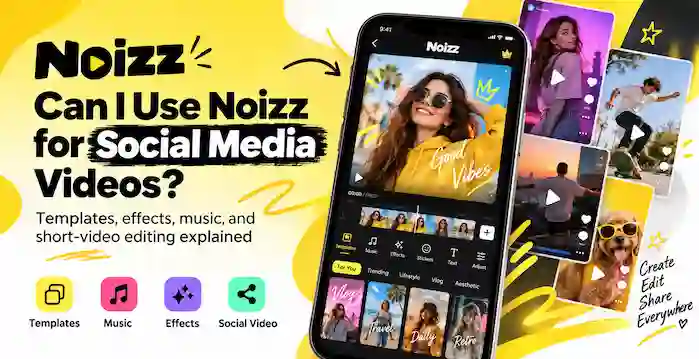
Noizz Photo Video projects turn a group of still pictures into a short video that you can share with friends or on social media. The original Noizz app focused on quick mobile edits, with music, filters, effects, and creative tools for short clips. A photo video can tell a story from a birthday, family event, holiday, or special day without asking viewers to open each picture. Start by choosing clear images and putting them in a useful order. You can then add a suitable style, music, text, and transitions where the app version supports them. Noizz is no longer listed on Google Play, so old tutorials and archived files may not match today’s tools. This guide explains the workflow and the checks to make before you start.
What Is a Noizz Photo Video?
A Noizz Photo Video is a short video made from still images and creative elements. Instead of sending a folder of pictures, you can place them in a sequence and create a small visual story.
Common uses include birthday clips, travel memories, family events, wedding highlights, and social media slideshows.
The original Noizz app was described as a video maker for photos with music. Its archived listing also mentions filters, effects, and music tools. Available options may differ by version.
Prepare Your Photos Before Editing
Choose images that fit one theme. For a birthday video, you might use childhood photos, family moments, party pictures, and a final greeting.
Before editing, pick clear photos, remove duplicates, arrange them in order, check your phone storage, and decide whether the video will be portrait or landscape. A focused set often works better than a long collection with repeated moments.
How to Create a Video From Photos With Noizz
The exact buttons can vary between app versions. If you have access to a verified version, use these general steps as a guide.
1. Open a New Project
Open the app and look for a photo, video, or template option. Choose a new project if available. The screen may differ from older tutorials.
2. Select and Arrange Your Pictures
Arrange your photos to create a clear beginning, middle, and ending. A travel montage could start with the journey, show key places, and finish with a favorite view.
3. Choose a Template or Style
If templates are available, pick one that suits your subject. A birthday style may use bright colors, while a family video may need a calmer look. Preview it first. Older templates may no longer work.
4. Add Music
Choose music that fits the event and the pace of the pictures. If you add your own audio, make sure you have the right to use it, especially for public posts.
5. Add Text and Effects
Use short captions for dates, names, or messages. Keep text away from faces and key details. Use filters and effects with care to keep a consistent look.
6. Preview and Export
Watch the full project before saving. Check the photo order, music, text, timing, and transitions. Change anything that feels rushed. Export options depend on the app version and device. Open the saved file and check it once more.
Tips for a Better Noizz Photo Video
- Keep one theme: Mix photos that belong to the same event or story.
- Use a balanced pace: Give viewers enough time to see each image.
- Choose matching music: The soundtrack should fit the mood.
- Avoid too many effects: Simple edits keep attention on the photos.
- Check the frame: Make sure faces and key objects are not cropped.
- Review the final file: Check the exported video before sharing it.
Is the Original Noizz App Still Available?
AppBrain lists the original Noizz: video editor with music as an app by Noizz Team. Its record says Google Play removed it on May 29, 2024. The last listed version was 5.13.3, with an update date of April 17, 2024. Old guides may show features or screens that are no longer available.
Be careful with third-party download pages. A file with the Noizz name is not proof that it is an original or safe copy. Check the developer, package details, version, and source before installing anything. If you cannot verify the file, choose a supported video editor from an official app store.
Frequently Asked Questions
How do I make a Noizz Photo Video?
Choose photos, arrange them, add a template and music where available, then preview and export. Tools vary by version, and the original app is no longer listed on Google Play.
Can I add music to a Noizz photo video?
The archived app description mentions music tools. Availability may depend on the version and whether its online services still work.
Final Thoughts
A Noizz Photo Video can turn separate pictures into a short story with music, text, and visual effects. A well-planned Noizz Photo Video keeps the focus on the memories, not the effects. Start with a clear theme, arrange your photos, and keep the editing simple. Preview the full project before you export it. Since the original android is no longer listed on Google Play, check the version and source before installing an old copy. If you cannot verify it, use a supported editor with clear developer details and recent updates.