
Introduction
Noizz Mod APK searches often come from people who want extra editing tools, premium effects, or videos without a watermark. These offers can sound useful, but a modified app is not the same as an official release. Someone has changed its original package, and you may not know what else changed along with the advertised features. The original Noizz app was a mobile video editor with music, filters, templates, and photo effects. Google Play removed its listing in May 2024, so current download pages may offer old files or copies from unknown sources. This guide explains what mod APK claims mean, which features users may expect, and why these files need caution. It also covers safer ways to edit videos without risking your phone or personal data.
What Is a Noizz Mod APK?
An APK is the file format Android uses to install apps. A mod APK is a package that someone has changed from the version its developer released. The changes may add features, remove limits, hide ads, or alter how the app works.
A Noizz Mod APK page may claim to unlock premium effects, offer extra templates, remove ads, or export videos without a watermark. These are claims from the site that hosts the file. They do not prove that the features work or that the package comes from Noizz Team.
What Features Do Mod APK Pages Claim?
People search for a few specific changes. Before trusting a download page, understand what these claims mean.
1. No Watermark on Exported Videos
Some pages advertise a Noizz Mod APK without watermark. They claim users can save clips without an app logo or mark. A download page may not prove that this feature works, and export options can vary between versions.
2. Premium Effects and Templates
Other listings promise paid filters, transitions, stickers, or video templates. An unknown package may not include these tools. Some files may show extra ads or ask users to install other apps.
3. Ad-Free Editing
A modified app may claim to remove ads. That does not prove it offers a private experience. A package can add tracking code or unwanted behavior. Ad settings alone cannot confirm an app’s safety.
Did Noizz Release an Official Mod APK?
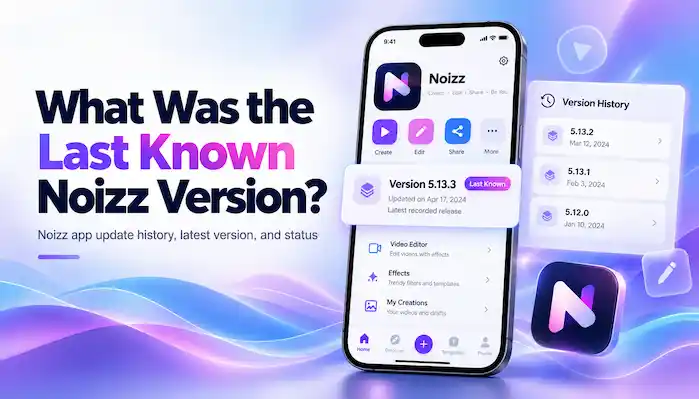
There is no reliable evidence that Noizz Team released an official modified edition. AppBrain records the original Noizz: video editor with music as an app by Noizz Team. It reports that Google Play removed the app on May 29, 2024. The last listed version was 5.13.3, with an update date of April 17, 2024.
Third-party pages may use the original app name to attract downloads. A site can label a file “latest” or “premium” without the developer’s approval. Treat those labels as claims, not proof of an official release.
Is Noizz Mod APK Safe?
A modified package can contain code that the original developer did not add. That code may collect data, show intrusive ads, access files, or create other security problems. It may also request permissions that do not fit a video editor.
There is a relevant security history. On May 29, 2023, Doctor Web reported that it found the SpinOk spyware module in Noizz: video editor with music. The report said the module could collect information about device files and access clipboard content. This does not prove that every Noizz release or every modified copy has the same issue. It does show why users should check app versions and security reports.
How to Check an APK Before Installing
Do not install an old file just because a page calls it safe. Check these details first:
- Source: Look for a trusted archive with clear file details. Avoid pop-ups and extra download buttons.
- Developer: Compare the publisher name with records for the original app.
- Version: Check the version number and release date. A “latest” label is not proof.
- Package and signature: Compare these details with a trusted record when available.
- Permissions: Be cautious if a video editor asks for access that does not match its purpose.
- Security scan: Keep Google Play Protect on and use a trusted mobile security tool.
A clean scan cannot guarantee safety. If you cannot verify the source, do not install the file. Before installing a Noizz Mod APK, make sure you can confirm its origin and integrity.
Safer Alternatives for Watermark-Free Videos
If your goal is to create videos without a watermark, look for a current editor in Google Play or the Apple App Store. Read its export rules before you start. Some apps offer free exports, while others limit certain effects or features.
Compare recent reviews, update dates, privacy details, and app permissions. Check whether the editor supports the video size, music, and templates you need. Review music-use terms before sharing a video in public or for business.
Final Thoughts
A Noizz Mod APK may promise premium effects, fewer ads, or watermark-free exports, but those claims do not prove that a file is genuine or safe. The original app is no longer listed on Google Play, and past security research gives users another reason to be careful. Check the source, version, permissions, and security status before installing an old app package. If the details remain unclear, choose a supported video editor from an official store.
Frequently Asked Questions
Does Noizz Mod APK remove the watermark?
Some third-party pages claim that it does. There is no guarantee that the feature works or that the file is genuine.
Is Noizz Mod APK free?
Download pages may offer modified files at no cost, but a free file can still carry privacy, security, or stability risks.
Is there an official Noizz Pro APK?
Available app records identify the original Noizz editor, but they do not verify an official Noizz Pro or mod release from Noizz Team.